
Use (neo)vim terminal in the floating/popup window.


- Features
- Requirements
- Installation
- Get started
- Advanced Topics
- Contributing
- FAQ
- Breaking changes
- Related projects
- Credits
- License
- Support neovim floatwin and vim8 popupwin
- Manage multiple terminal instances
- Customizable terminal window style
- Switch/preview floating terminal buffers using fuzzy-finder plugins such as denite.nvim or fzf, etc.
- Use with other external command-line tools(ranger, fzf, ripgrep etc.)
- Use as a custom task runner for asynctasks.vim or asyncrun.vim
- Vim or neovim with
terminalfeature
- packer.nvim
use 'voldikss/vim-floaterm'
- vim-plug
Plug 'voldikss/vim-floaterm'- dein.nvim
call dein#add('voldikss/vim-floaterm')Use :FloatermNew to open a terminal window, use :FloatermToggle to
hide/reopen that. The filetype of the terminal buffer is floaterm.
If you've opened multiple floaterm instances, they will be attached to a
double-circular-linkedlist. Then you can use :FloatermNext or
: FloatermPrev to switch between them.
❗️Note: Long-running jobs (e.g. yarn watch) inside the builtin terminal
would probably slowdown your operation. It's recommended to put them into the
external terminals.
- If
!is given, executecmdin$SHELL. Try:FloatermNew pythonand: FloatermNew! pythonto learn about the difference. - If execute without
cmd, open$SHELL. - The
optionsis formed as--key[=value], it is used to specify local attributes of a specific floaterm instance. Note that in order to input space, you have to form it as\followed by space, and\must be typed as\\cwdworking directory that floaterm will be opened at. Accepts a path, the literal<root>which represents the project root directory, the literal<buffer>which specifies the directory of the active buffer, or the literal<buffer-root>which corresponds to the project root directory of the active buffer.namename of the floatermsilentIf--silentis given, spawn a floaterm but not open the window, you may toggle it afterwardsdisposableIf--disposableis given, the floaterm will be destroyed once it is hidden.titleseeg:floaterm_titlewidthseeg:floaterm_widthheightseeg:floaterm_heightopenerseeg:floaterm_openerwintypeseeg:floaterm_wintypepositionseeg:floaterm_positionautocloseseeg:floaterm_autocloseautoinsertseeg:floaterm_autoinsertbordercharsseeg:floaterm_bordercharstitlepositionseeg:floaterm_titleposition
- This command basically shares the consistent behaviors with the builtin
:terminal:- The special characters(
:help cmdline-special) such as%and<cfile>will be auto-expanded, to get standalone characters, use\followed by the corresponding character(e.g.,\%). - Note that
<bar>(i.e.,|) will be seen as an argument of the command, therefore it can not be followed by another Vim command.
- The special characters(
- If execute this command with a range, i.e.,
'<,'>:FloatermNew ..., the selected lines will be sent to the created floaterm. For example, see python repl use case below. - Use
<TAB>to get completion.
For example, the command
:FloatermNew --height=0.6 --width=0.4 --wintype=float --name=floaterm1 --position=topleft --autoclose=always ranger --cmd="cd ~"will open a new floating/popup floaterm instance named floaterm1 running
ranger --cmd="cd ~" in the topleft corner of the main window.
The following command allows you to compile and run your C code in the floaterm window:
:FloatermNew --autoclose=never gcc % -o %< && ./%<- The
optionsis the same as in:FloatermNew(except--silent). - With
!, apply the update to every floaterm instance. - Use
<TAB>to get completion.
- If
Nis given, toggle the floaterm whose buffer number isN - If
floaterm_nameis given, toggle the floaterm instance whosenameattribute isfloaterm_name. If no floaterm with that name exists, create a new floaterm namedfloaterm_name. - Use
<TAB>to get completion. - If
!is given, toggle all floaterms (:FloatermHide!or:FloatermShow!)
- If
Nis given, show the floaterm whose buffer number isN - If
floaterm_nameis given, show the floaterm namedfloaterm_name. - If
!is given, show all floaterms (If multiple floaterms have the same position attribute, only one of them will be show)
- If
Nis given, hide the floaterm whose buffer number isN - If
floaterm_nameis given, hide the floaterm namedfloaterm_name. - If
!is given, hide all floaterms
- If
Nis given, kill the floaterm whose buffer number isN - If
floaterm_nameis given, kill the floaterm instance namedfloaterm_name. - If
!is given, kill all floaterms
Note that the floaterm_name argument of :FloatermToggle, :FloatermShow,
:FloatermHide and :FloatermKill can also be given in the form
--name=floaterm_name.
- If
--name=floaterm_nameis given, send lines to the floaterm instance whosenameisfloaterm_name. Otherwise use the current floaterm. - If
cmdis given, it will be sent to floaterm and selected lines will be ignored. - This command can also be used with a range, i.e.,
'<,'>:FloatermSend [--name=floaterm_name]to send selected lines to a floaterm.- If
cmdis given, the selected lines will be ignored. - If use this command with a
!, i.e.,'<,'>:FloatermSend! [--name=floaterm_name]the common white spaces in the beginning of lines will be trimmed while the relative indent between lines will still be kept.
- If
- Use
<TAB>to get completion. - Examples
:FloatermSend                        " Send current line to the current floaterm (execute the line in the terminal)
:FloatermSend --name=ft1             " Send current line to the floaterm named ft1
:FloatermSend ls -la                 " Send `ls -la` to the current floaterm
:FloatermSend --name=ft1 ls -la      " Send `ls -la` to the floaterm named ft1
:23FloatermSend ...                  " Send the line 23 to floaterm
:1,23FloatermSend ...                " Send lines between line 1 and line 23 to floaterm
:'<,'>FloatermSend ...               " Send lines selected to floaterm(visual block selection are supported)
:%FloatermSend ...                   " Send the whole buffer to floaterm
Type String. Default: &shell
Type String. Show floaterm info(e.g., 'floaterm: 1/3' implies there are 3
floaterms in total and the current is the first one) at the top left corner of
floaterm window.
Default: 'floaterm: $1/$2'($1 and $2 will be substituted by 'the index of
the current floaterm' and 'the count of all floaterms' respectively, and $3
by the floaterm name given via --name, empty when no name was set).
When --title is not passed to :FloatermNew, g:floaterm_title is left at
its default, and --name is provided, the name is used as the title directly.
Example: 'floaterm($1|$2)'
Type String. 'float'(nvim's floating or vim's popup) by default. Set it to
'split' or 'vsplit' if you don't want to use floating or popup window.
Type Number (number of columns) or Float (between 0 and 1). If Float,
the width is relative to &columns.
Default: 0.6
Type Number (number of lines) or Float (between 0 and 1). If Float, the
height is relative to &lines.
Default: 0.6
Type String. The position of the floating window. Available values:
-
If
wintypeissplit/vsplit:'leftabove','aboveleft','rightbelow','belowright','topleft','botright'. Default:'botright'.It's recommended to have a look at those options meanings, e.g.
:help :leftabove. -
If
wintypeisfloat:'top','bottom','left','right','topleft','topright','bottomleft','bottomright','center','auto'(at the cursor place). Default:'center'
In addition, there is another option 'random' which allows to pick a random
position from above when (re)opening a floaterm window.
Type String. 8 characters of the floating window border (top, right, bottom,
left, topleft, topright, botright, botleft).
Default: ─│─│┌┐┘└
Type List of String. Markers used to detect the project root directory for --cwd=<root>
or --cwd=<buffer-root>.
Default: ['.project', '.git', '.hg', '.svn', '.root']
Type Boolean. Whether to override $GIT_EDITOR in floaterm terminals so git commands can
open open an editor in the same neovim instance. See git for details.
This flag also overrides $HGEDITOR for Mercurial and JJ_EDITOR for Jujutsu.
Default: v:true
Type String. Command used for opening a file in the outside nvim from within :terminal.
Available: 'edit', 'split', 'vsplit', 'tabe', 'drop' or
user-defined commands
Default: 'split'
Type String. Whether to close floaterm window once the job gets finished.
'never': Always do NOT close floaterm window'smart': Close window if the job exits normally, otherwise stay it with messages like[Process exited 101]'always': Always close floaterm window
For backward compatibility, 0 is treated as 'never', 1 as 'smart' and
2 as 'always'.
Default: 'smart'.
Type String. Whether to hide previous floaterms before switching to or
opening a another one.
'never': Always do NOT hide previous floaterm windows'smart': Only hide those whose position (b:floaterm_position) is identical to that of the floaterm which will be opened'always': Always hide them
For backward compatibility, 0 is treated as 'never', 1 as 'smart' and
2 as 'always'.
Default: 'smart'.
Type String. Whether to enter Terminal-mode after opening a floaterm.
'never': Always do NOT enter Terminal-mode (stay in normal mode)'always': Always enter Terminal-mode'smart': enter Terminal-mode the first time a floaterm is opened; when the floaterm is hidden and reopened, enter Terminal-mode only if the cursor is at or beyond the last non-blank line (i.e., you were at the shell prompt), otherwise stay in normal mode
For backward compatibility, v:false is treated as 'never' and v:true is
treated as 'smart'.
Default: 'smart'.
Type String. The position of the floaterm title.
Available: 'left', 'center', 'right'.
Default: 'left'
This plugin doesn't supply any default mappings. Here are the configuration examples.
" Configuration example
let g:floaterm_keymap_new    = '<F7>'
let g:floaterm_keymap_prev   = '<F8>'
let g:floaterm_keymap_next   = '<F9>'
let g:floaterm_keymap_toggle = '<F12>'
You can also use other keys as shown below:
let g:floaterm_keymap_new = '<Leader>ft'All options for the mappings are listed below:
g:floaterm_keymap_newg:floaterm_keymap_prevg:floaterm_keymap_nextg:floaterm_keymap_firstg:floaterm_keymap_lastg:floaterm_keymap_hideg:floaterm_keymap_showg:floaterm_keymap_killg:floaterm_keymap_toggle
Note that the key mappings are set from the plugin/floaterm.vim,
so if you are using on-demand loading feature provided by some plugin-managers,
the keymap above won't take effect(:help load-plugins). Then you have to
define the key bindings by yourself. For example,
nnoremap   <silent>   <F7>    :FloatermNew<CR>
tnoremap   <silent>   <F7>    <C-\><C-n>:FloatermNew<CR>
nnoremap   <silent>   <F8>    :FloatermPrev<CR>
tnoremap   <silent>   <F8>    <C-\><C-n>:FloatermPrev<CR>
nnoremap   <silent>   <F9>    :FloatermNext<CR>
tnoremap   <silent>   <F9>    <C-\><C-n>:FloatermNext<CR>
nnoremap   <silent>   <F12>   :FloatermToggle<CR>
tnoremap   <silent>   <F12>   <C-\><C-n>:FloatermToggle<CR>
To toggle a term in the current buffer directory :
function! s:get_dir(path) abort
    if isdirectory(a:path)
      let dir = fnamemodify(a:path, ':p')
    elseif filereadable(a:path)
      let dir = fnamemodify(a:path, ':p:h')
    else
      let dir = fnamemodify(getcwd(), ':p')
    endif
    let dir = fnamemodify(dir, ':~')
    let dir = escape(dir, ' %#|"')
    return dir
endfunction

nnoremap <silent><expr> <F6> g:floaterm#buflist#curr() == -1 ?
      \   ':<c-u>FloatermNew --cwd=<C-R>=<sid>get_dir(expand("%"))<CR><CR>'
      \ : ':<c-u>FloatermToggle<CR>'
tnoremap <silent> <F6> <C-\><C-n>:<c-u>FloatermToggle<cr>There are some highlight-groups to specify the color of floaterm (also the
border color if g: floaterm_wintype is 'float') window.
To customize, use hi command together with the colors you prefer.
" Configuration example

" Set floaterm window's background to black
hi Floaterm guibg=black
" Set floating window border line color to cyan, and background to orange
hi FloatermBorder guibg=orange guifg=cyan
" Set the title of floaterm window to red (defaults to FloatermBorder)
hi FloatermTitle guifg=red
Note: on vim the title is drawn by the popup window itself and always uses
the color of the border; FloatermTitle has no effect there.
Demo

Besides, there is a neovim only highlight group which can be used to configure
no-current-focused window(:help NormalNC).
" Configuration example

" Set floaterm window foreground to gray once the cursor moves out from it
hi FloatermNC guifg=gray
Demo

autocmd User FloatermOpen " triggered after opening a new/existed floatermThe following cases should work both in Vim and NeoVim unless otherwise specifically noted.
Normally if you run vim/nvim somefile.txt within the builtin terminal, you
would get another nvim/vim instance running in the subprocess.
Floaterm, which is
a builtin script in this plugin, allows you to open files from within : terminal
without starting a nested nvim. To achieve that, just literally replace
vim/nvim with floaterm, e.g. floaterm somefile.txt
P.S.
- #208
describes how to use
gfin the floating terminal window. floatermis too long to type? set alias in yourbashrc, e.g.alias f=floaterm- For configurable open action, refer to g:floaterm_opener
Demo

Execute git commit in the terminal window without starting a nested vim/nvim.
Refer to g:floaterm_giteditor to disable this behavior.
Refer to g:floaterm_opener for configurable open action
Demo

This plugin has implemented a wrapper
for fzf command. So it can be used as a tiny fzf plugin.
Try :FloatermNew fzf or even wrap this to a new command like this:
command! FZF FloatermNew fzfDemo

Requirements:
This plugin has implemented a wrapper
for rg command.
Try :FloatermNew rg or create yourself a new command like this:
command! Rg FloatermNew --width=0.8 --height=0.8 rgor map via .vimrc
" Hotkey: \ + rg
nmap <leader>rg :Rg<CR>
Demo
You can use Alt-A to select all files and Alt-D to deselect them. Use Ctrl-/ to toggle preview.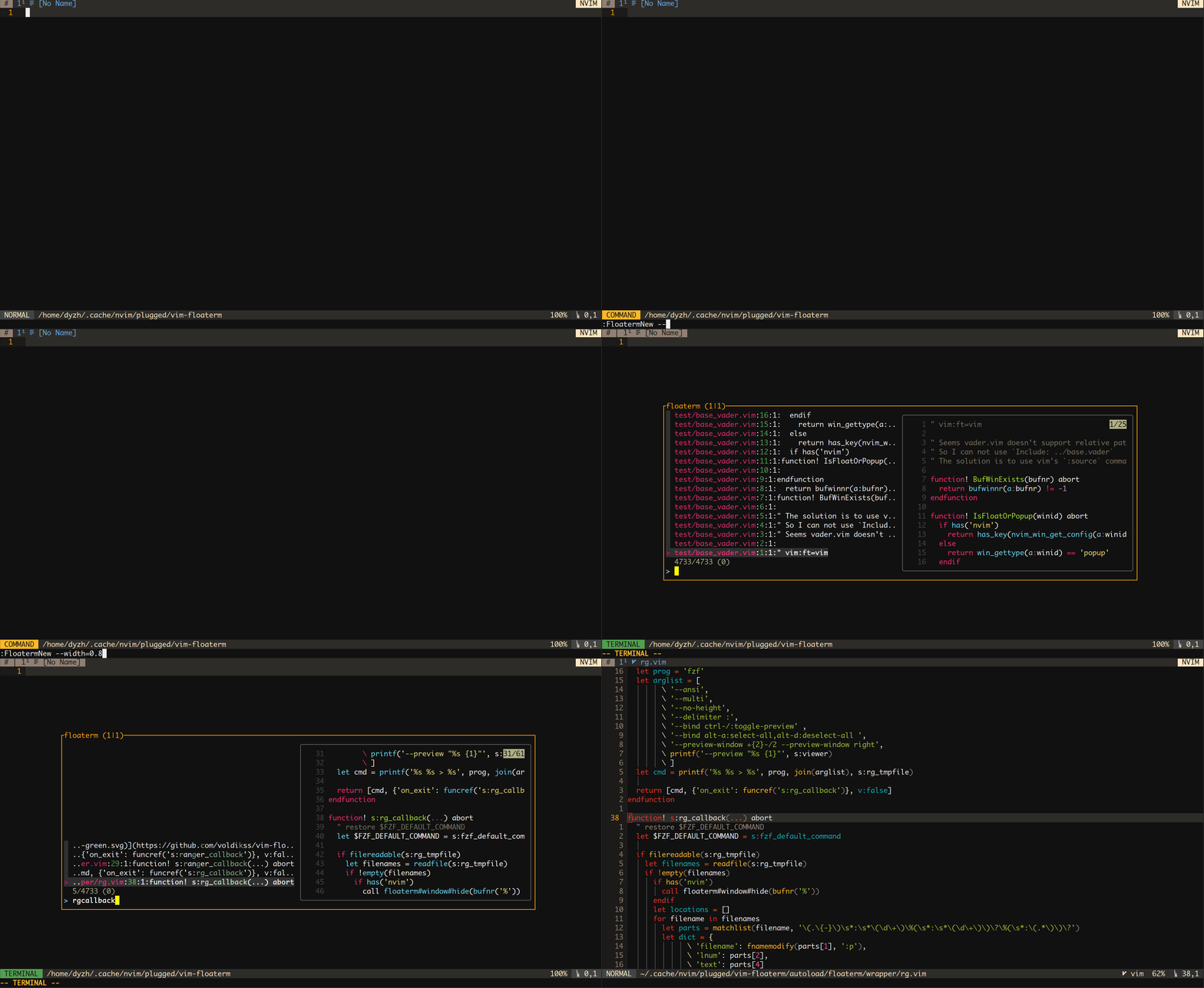
This plugin has implemented a wrapper for broot.
Try :FloatermNew broot or create yourself a new command like this:
command! Broot FloatermNew --width=0.8 --height=0.8 brootDemo

There is also an fff wrapper
Try :FloatermNew fff or define a new command:
command! FFF FloatermNew fffDemo

There is also an nnn wrapper
Try :FloatermNew nnn or define a new command:
command! NNN FloatermNew nnnDemo

There is also an xplr wrapper
Try :FloatermNew xplr or define a new command:
command! XPLR FloatermNew xplrDemo
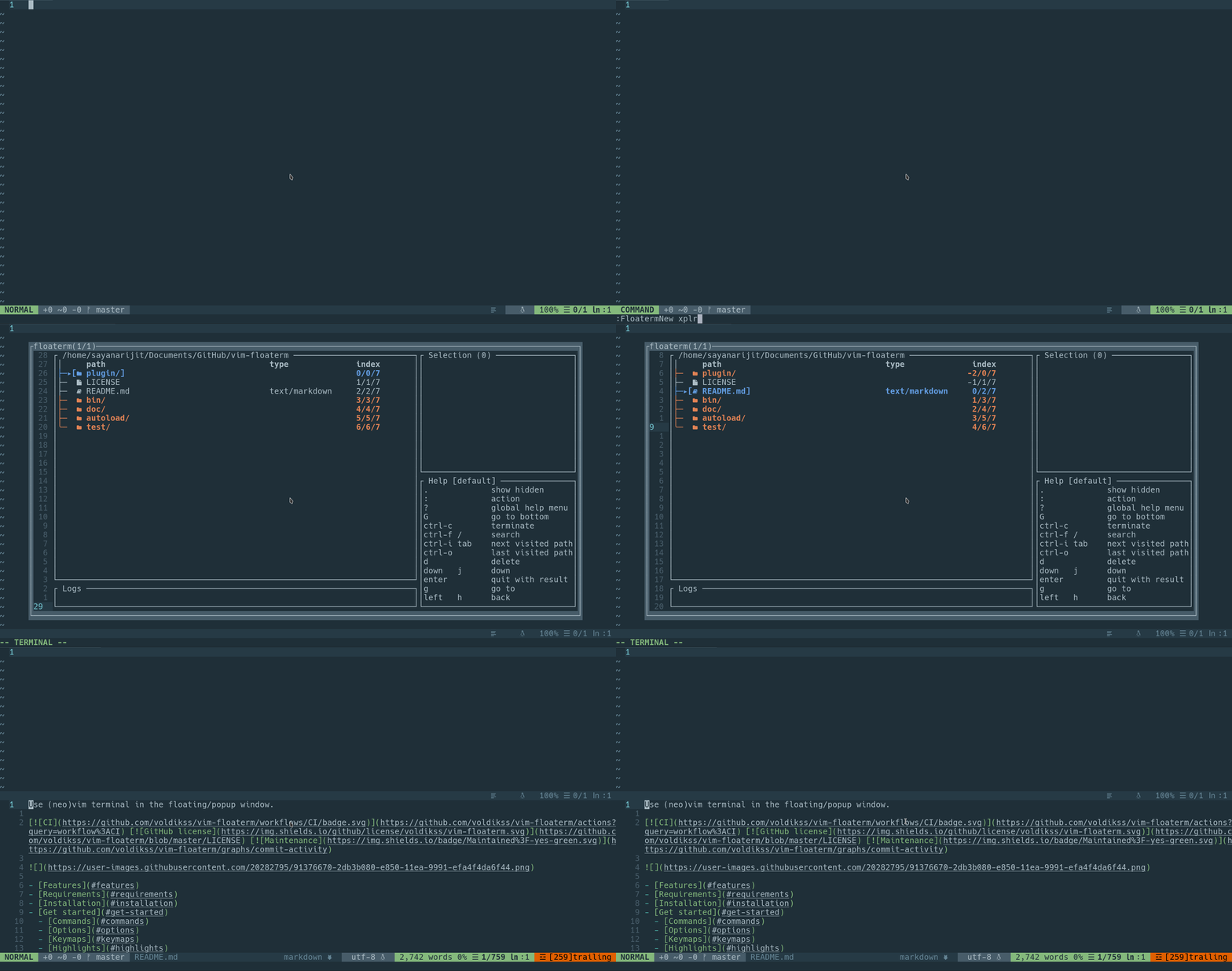
There is also an lf wrapper. It is recommened to use lf.vim which is an lf wrapper with more features (Overriding netrw, Lfcd, etc.).
Try :FloatermNew lf or define a new command:
command! LF FloatermNew lfDemo
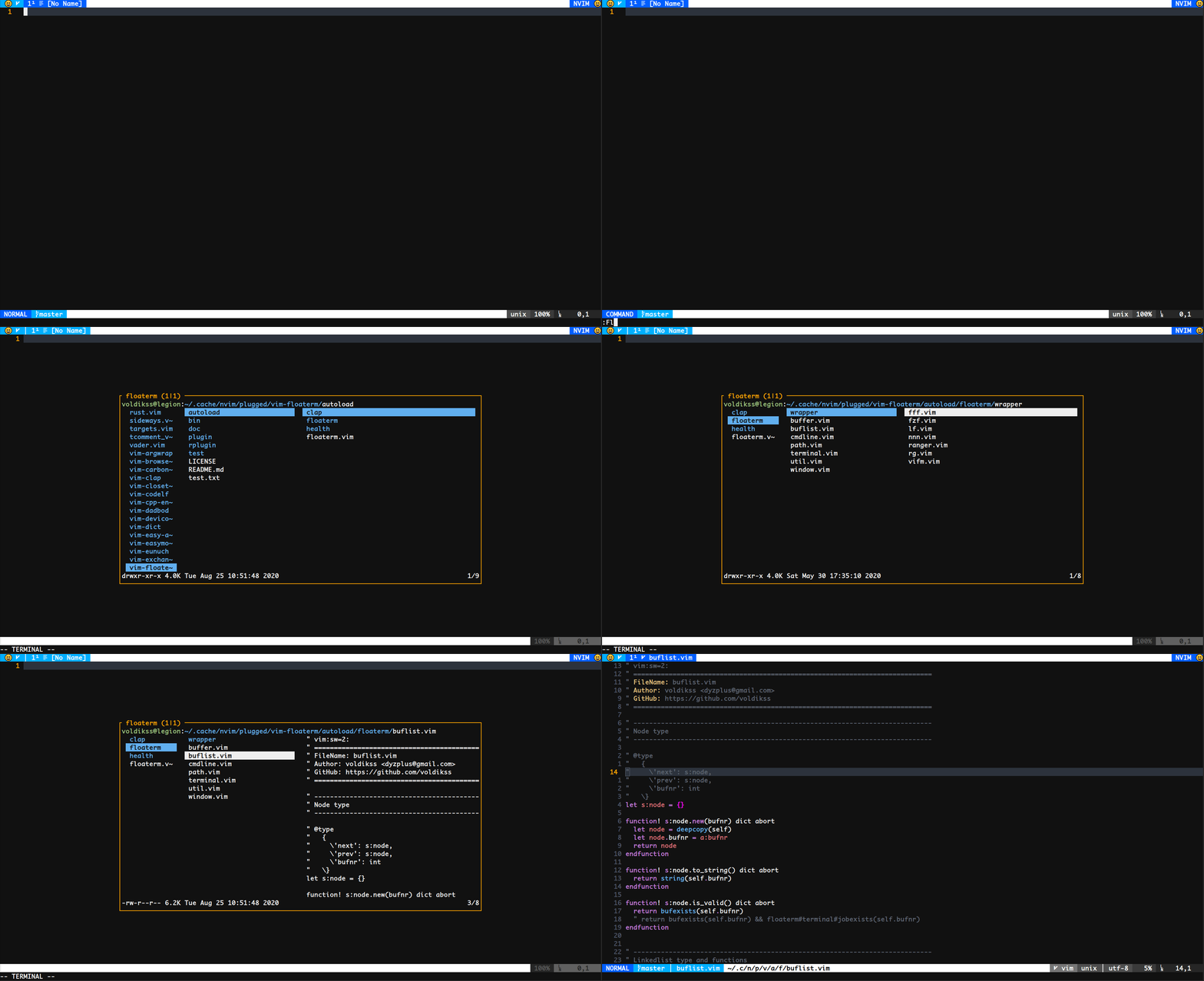
This plugin can also be a handy ranger plugin since it also has a ranger wrapper
Try :FloatermNew ranger or define a new command:
command! Ranger FloatermNew rangerDemo

This plugin can also be a handy joshuto plugin since it also has a joshuto wrapper
Try :FloatermNew joshuto or define a new command:
command! Joshuto FloatermNew joshutoThere is also a vifm wrapper
Try :FloatermNew vifm or define a new command:
command! Vifm FloatermNew vifmDemo

There is also a yazi wrapper
Try :FloatermNew yazi or define a new command:
command! Yazi FloatermNew yaziFurthermore, you can also use other command-line programs, such as lazygit, htop, ncdu, etc.
Use lazygit for instance:
Demo

Use :FloatermNew python to open a python shell. After that you can use
: FloatermSend to send lines to the Python interactive shell.
Or you can just select lines and execute :'<,'>FloatermNew --wintype=split python, then the
selected lines will be sent and executed once a python repl floaterm window is
opened.
This can also work for other languages which have interactive shells, such as lua, node, etc.
Demo

Use vim-clap to switch/preview floating terminal buffers.
Install clap-floaterm and try :Clap floaterm
Demo

Use denite to switch/preview/open floating terminal buffers.
Install denite-floaterm and try :Denial floaterm
Demo

Use CocList to switch/preview/open floating terminal buffers.
Install coc-floaterm and try :CocList floaterm
Demo
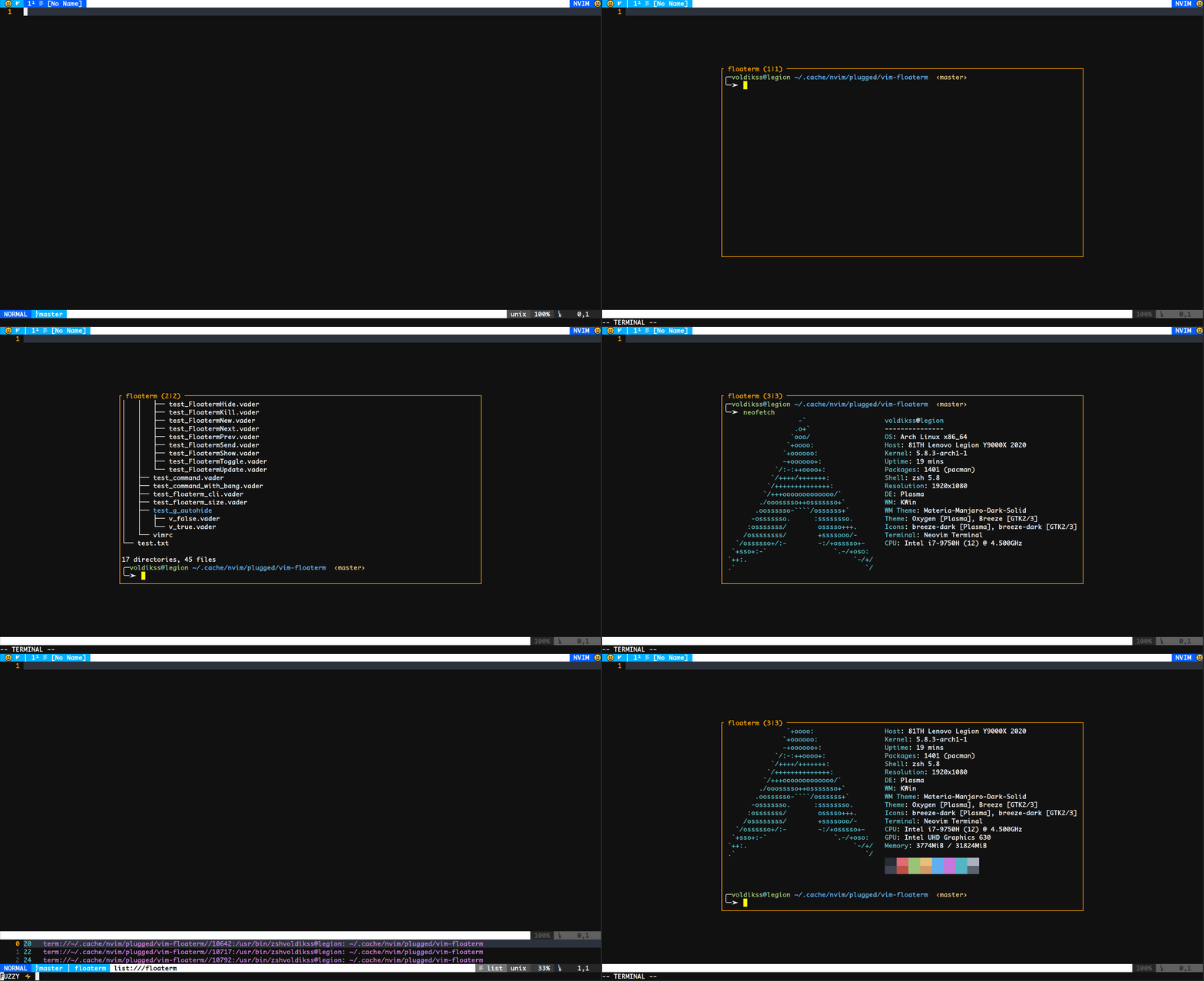
Install fzf-floaterm and try :Floaterms
Install LeaderF-floaterm and try :Leaderf floaterm
This plugin can be a runner for asynctasks.vim or asyncrun.vim. See asyncrun.extra for the installation and usage.
Demo

The wrapper script must be located in autoload/floaterm/wrapper/ directory,
e.g., autoload/floaterm/wrapper/fzf.vim.
There are two ways for a command to be spawned:
-
To be executed after spawning
$SHELL. Here is the old implementation of fzf wrapperfunction! floaterm#wrapper#fzf#(cmd, jobopts, config) abort return [v:true, 'floaterm $(fzf)'] endfunction
The code above returns a list.
floaterm $(fzf)is the command to be executed.v:truemeans the command will be executed after the&shellstartup. -
To be executed through
termopen()/term_start()function, in that case, a callback option can be provided. See fzf wrapperfunction! floaterm#wrapper#fzf#(cmd, jobopts, config) abort let s:fzf_tmpfile = tempname() let cmd = a:cmd . ' > ' . s:fzf_tmpfile let a:jobopts.on_exit = funcref('s:fzf_callback') return [v:false, cmd] endfunction function! s:fzf_callback(...) abort if filereadable(s:fzf_tmpfile) let filenames = readfile(s:fzf_tmpfile) if !empty(filenames) if has('nvim') call floaterm#window#hide(bufnr('%')) endif let locations = [] for filename in filenames let dict = {'filename': fnamemodify(filename, ':p')} call add(locations, dict) endfor call floaterm#util#open(locations) endif endif endfunction
In the example above, after executing
:FloatermNew fzf, functionfloaterm#wrapper#fzf#will return[v:false, 'fzf > /tmp/atmpfilename'].
Here
v:falsemeanscmdfzf > /tmp/atmpfilename
will be passed through
termopen()(neovim) orterm_start()(vim). As the result, an fzf interactive will be opened in a floaterm window.When user picks a file using
ENTER, fzf exits and the filepath will be written in/tmp/atmpfilenameands:fzf_callback()will be invoked to open the file. Note that the functions: fzf_callback()is registered bylet a:jobopts.on_exit = funcref('s:fzf_callback')
The variable
a:joboptsin the above code will be eventually passed totermopen()(neovim) orterm_start()(vim). For more info, see:help jobstart-options(neovim) or:help job-options(vim)
Function floaterm#buflist#gather() returns a list contains all the floaterm buffers.
Function floaterm#terminal#open_existing({bufnr}) opens the floaterm whose buffer number is {bufnr}.
For reference, see floaterm source for LeaderF.
- Improve the documentation
- Help resolve issues labeled as help wanted
https://github.com/voldikss/vim-floaterm/issues?q=label%3AFAQ
https://github.com/voldikss/vim-floaterm/issues?q=label%3A%22breaking+change%22
MIT