Repository navigation
Conversation


The previous search UI was a synthetic pill built from captured
keystrokes — appended-only, no cursor, no click-to-edit, no text
selection or IME support. NativeBarSearchField is a real NSTextField
edited through the normal AppKit responder chain (kept mounted even in
its compact zero-width state, so the bar's key monitor can focus it
synchronously and hand off the very first keystroke without losing it).

BarInputMode tracks whether focus belongs to the field or the clip
strip, so the monitor and the field agree on who owns a given key
without probing the first-responder chain from every call site.


|
Landed as d106242 through #104 with a follow-up (b66d10a). The field took every key while it had focus: Return resigned it and handed focus back to the cards instead of pasting, so open, type, Return needed two Returns; Command-1 to Command-9 went to the field editor, which has no binding for them; and Up, Down, Left and Right moved a caret inside a one-line query instead of the selection. Return now pastes the selected clip from the field's delegate, the quick-paste digits are handled before the field takes the event, and the delegate routes Up and Down, plus Left and Right once the caret sits at the matching end of the query, to the strip's selection. A hide while the field was focused (Escape on an empty query, the hotkey, a click outside) also left it first responder of the ordered-out panel, so the next presentation came up in search mode; showBar resigns the field and resets the input mode first. Thanks @alvst. |
2 participants


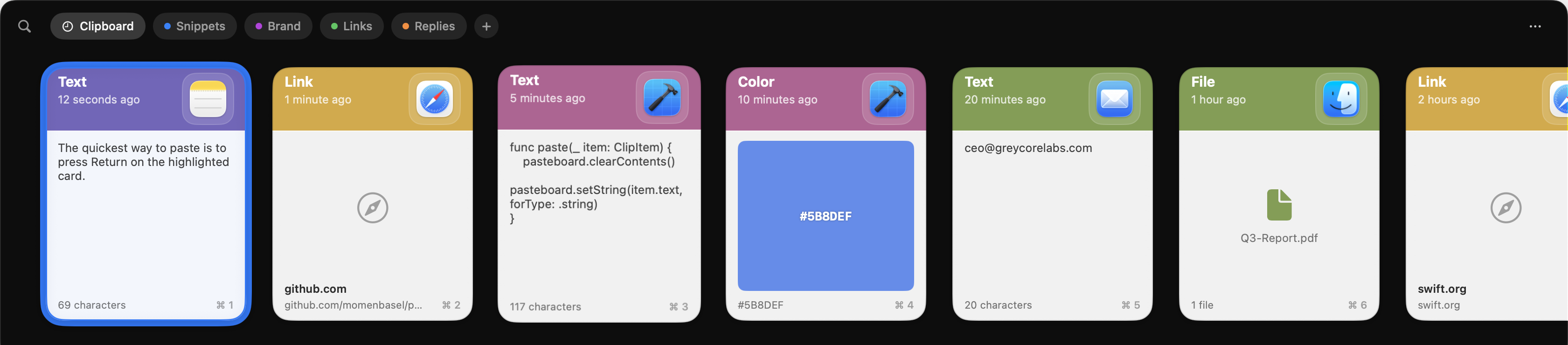
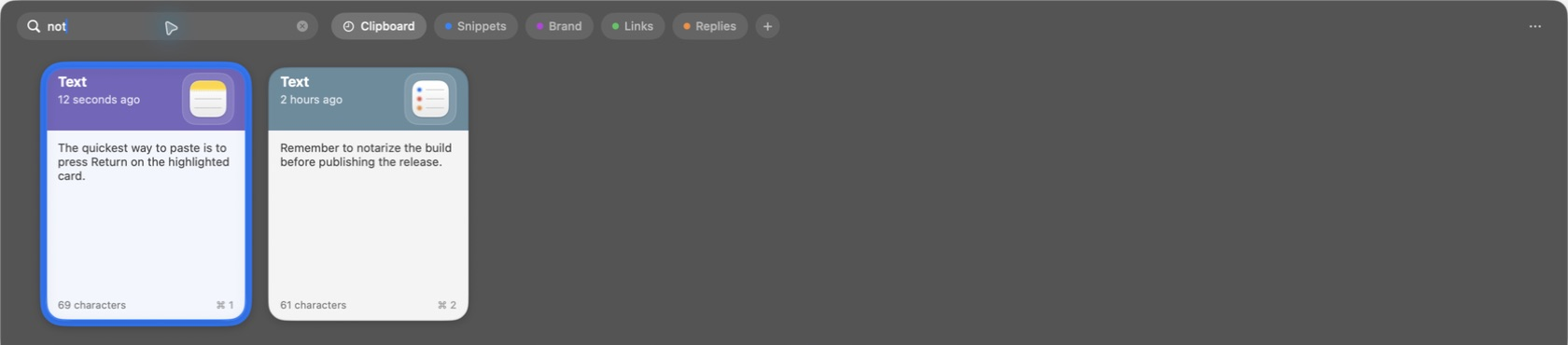
The search UI was a synthetic pill assembled from captured keystrokes: append-only, with no cursor, no click-to-edit, no selection, and no IME. This replaces it with a real
NSTextFieldedited through the normal AppKit responder chain.What changed
NativeBarSearchFieldis a real text field: cursor, click-to-edit, text selection, ⌘A/⌘X/⌘C/⌘V, and IME/dead-key input all work.BarInputModetracks whether the field or the clip strip owns focus, so the key monitor and the field agree on who handles a given key instead of probing the responder chain from every call site.Screenshots
Before:
After:
Notes for review
alvie/pr-27-space-preview-with-searchexists because this branch andalvie/pr-quicklookinteract — a focused field would otherwise swallow Space-to-preview. That's fixed in its own PR, not here; nothing in this branch regresses on its own.This feature should be bundled into v2.
Part of #80.